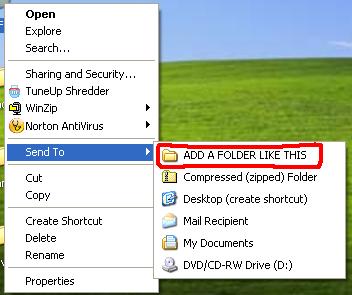
To add any folder or destination there follow this step-by-step guide.. :

Tuesday, August 9, 2011
The Magical God Mode Folder in Windows 7

What is GOD Mode Folder?
It’s a folder packed with shortcuts to just about every settings change and administrative function in Windows 7. Everything you’ll find in the Action Center, Backup and Restore, Autorun, Desktop Gadgets, Devices and Printers — it’s all there. All dumped in one central location for easy access. Learn how to do it:


Thursday, April 14, 2011
How to run TASM on Windows 7 64bit
Few days ago we have posted an article about installing Turbo C++ on 32 bit Windows 7. Now we are providing step-by-step procedure how to run TASM on 64 bit Windows 7.

1. Install the software DOSBox ver 0.73 : download here
2. Download and extract TASM into the C: drive (c:\): download here
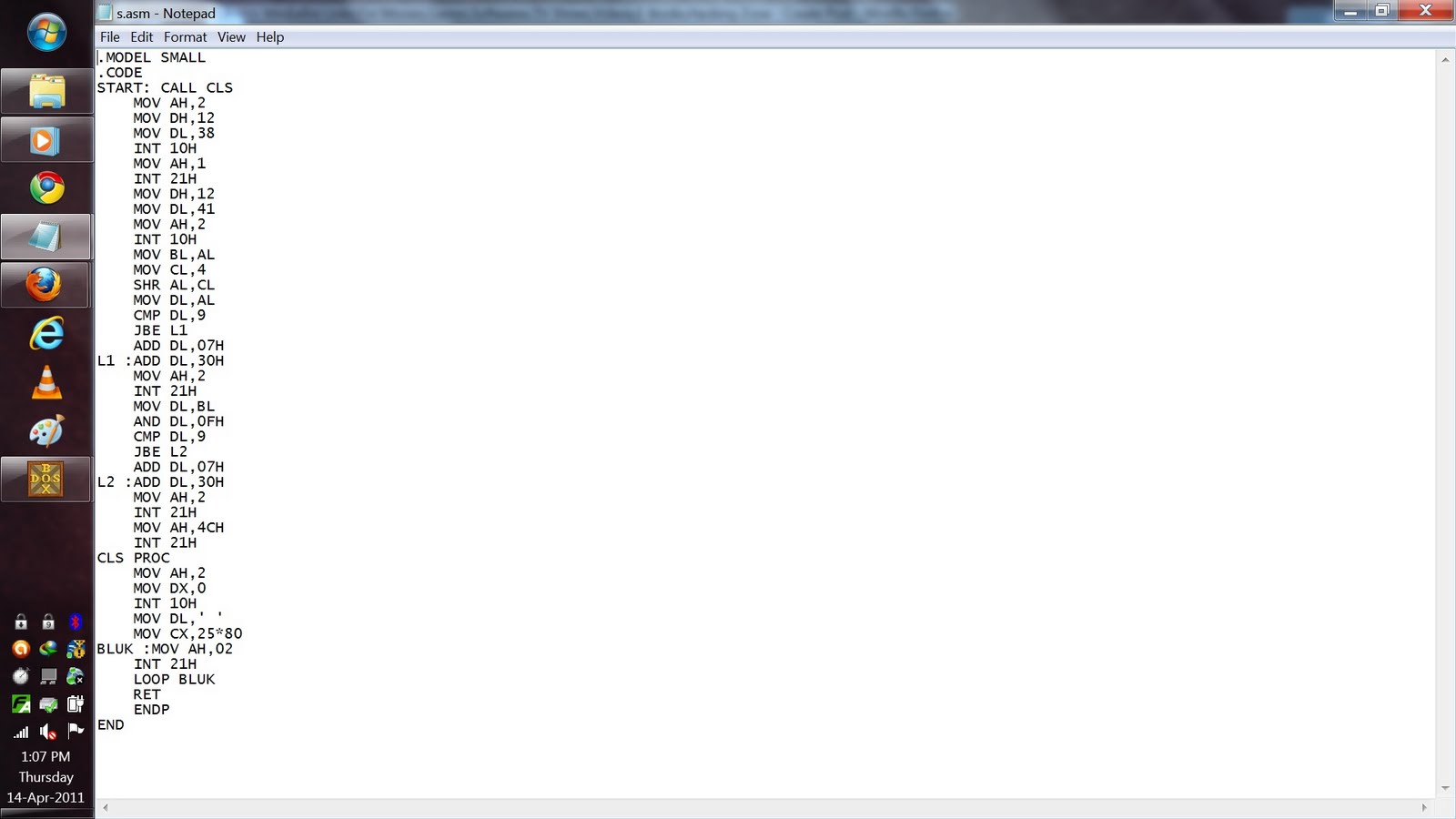
3. Now manually browse to "C:\TASM\" folder and create text file with any name.
and type full program inside that.
After that save the file as "FILE_NAME.ASM"
Here FILE_NAME can be anything but do not forget to put " before and after the file name.


4. Run the DOSBox 0.73 from the icon located on the desktop:
3. Now manually browse to "C:\TASM\" folder and create text file with any name.
and type full program inside that.
After that save the file as "FILE_NAME.ASM"
Here FILE_NAME can be anything but do not forget to put " before and after the file name.

4. Run the DOSBox 0.73 from the icon located on the desktop:

Wednesday, December 29, 2010
Enable checkboxes for selecting files in Windows Vista/7 Explorer

You’re probably used to hit either CTRL or SHIFT to select multiple files (one by one or a consecutive bunch, respectively). However, if you accidentally misclick, your selection is lost and you have to start over.
This is would not happen if you’d be able to select files in a checkbox manner, would it?
This is would not happen if you’d be able to select files in a checkbox manner, would it?
MICROSOFT TRICKS
MAGIC #1
An Indian discovered that nobody can create a FOLDER anywhere on the computer which can be named as “CON”. This is something pretty cool…and unbelievable… At Microsoft the whole Team, couldn’t answer why this happened!
TRY IT NOW ,IT WILL NOT CREATE ” CON ” FOLDER
TRY IT NOW ,IT WILL NOT CREATE ” CON ” FOLDER
[ The name “CON” in windows is reserved for console devices (Keyboard if used as input and Monitor if used as output) hence it can not be used to create any file or directory of this name.]

