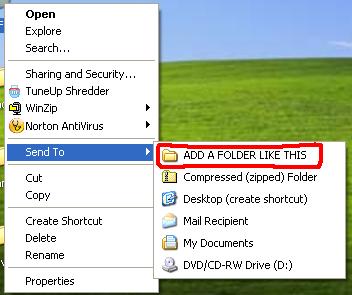
To add any folder or destination there follow this step-by-step guide.. :

Tuesday, August 9, 2011
The Magical God Mode Folder in Windows 7

What is GOD Mode Folder?
It’s a folder packed with shortcuts to just about every settings change and administrative function in Windows 7. Everything you’ll find in the Action Center, Backup and Restore, Autorun, Desktop Gadgets, Devices and Printers — it’s all there. All dumped in one central location for easy access. Learn how to do it:


How to install Turbo C++ on Windows 7 64bit
Few days ago we have posted an article about installing Turbo C++ on 32 bit Windows 7. Now we are providing step-by-step procedure how to install Turbo C++ on 64 bit Windows 7.
1. Install the software DOSBox ver 0.73 : download here
2. Create a folder,for example „Turbo“ (c:\Turbo\)
3. Download and extract TC into the Turbo folder (c:\Turbo\): download here
4. Run the DOSBox 0.73 from the icon located on the desktop:

How Antivirus Software Works

Due to ever increasing threat from virus and other malicious programs, almost every computer today comes with a pre-installed antivirus software on it. In fact, an antivirus has become one of the most essential software package for every computer. Even though every one of us have an antivirus software installed on our computers, only a few really bother to understand how it actually works! Well if you are one among those few who would really bother to understand how an antivirus works, then this article is for you.
How Antivirus Works
An antivirus software typically uses a variety of strategies in detecting and removing viruses, worms and other malware programs. The following are the two most widely employed identification methods:
1. Signature-based dectection (Dictionary approach)
This is the most commonly employed method which involves searching for known patterns of virus within a given file. Every antivirus software will have a dictionary of sample malware codes called signatures in it’s database. Whenever a file is examined, the antivirus refers to the dictionary of sample codes present within it’s database and compares the same with the current file. If the piece of code within the file matches with the
Thursday, April 14, 2011
How to run TASM on Windows 7 64bit
Few days ago we have posted an article about installing Turbo C++ on 32 bit Windows 7. Now we are providing step-by-step procedure how to run TASM on 64 bit Windows 7.

1. Install the software DOSBox ver 0.73 : download here
2. Download and extract TASM into the C: drive (c:\): download here
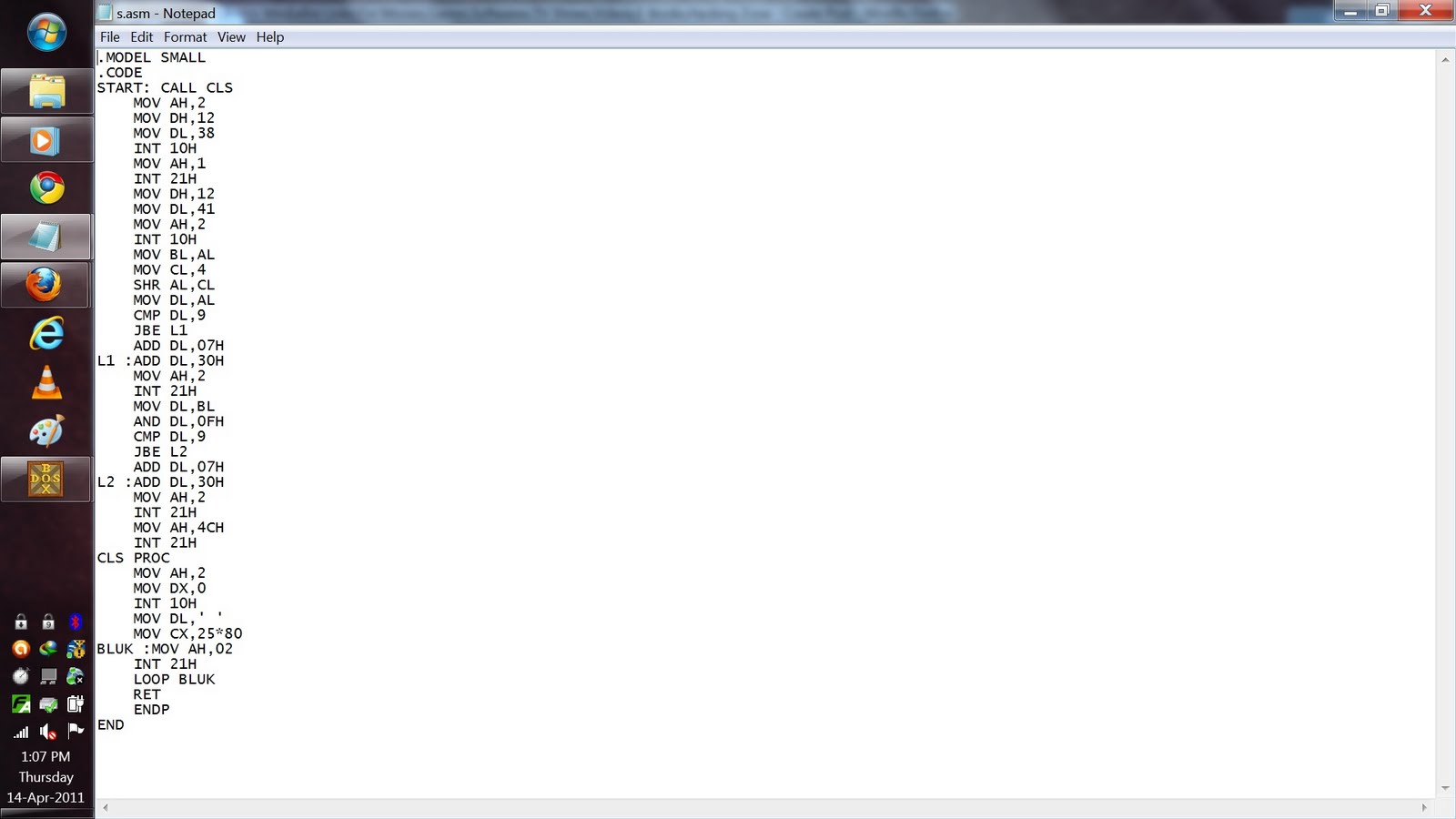
3. Now manually browse to "C:\TASM\" folder and create text file with any name.
and type full program inside that.
After that save the file as "FILE_NAME.ASM"
Here FILE_NAME can be anything but do not forget to put " before and after the file name.


4. Run the DOSBox 0.73 from the icon located on the desktop:
3. Now manually browse to "C:\TASM\" folder and create text file with any name.
and type full program inside that.
After that save the file as "FILE_NAME.ASM"
Here FILE_NAME can be anything but do not forget to put " before and after the file name.

4. Run the DOSBox 0.73 from the icon located on the desktop:

